To add liquidity on PancakeSwap, open Pools, then Liquidity / Farms, click Add Liquidity, choose the pool type and token pair, enter the amounts, enable the token and confirm. To remove liquidity, open your position, click Remove, choose how much to withdraw, press Enable, then Remove, and confirm in your wallet. PancakeSwap's documentation lists no withdrawal fee; you pay only gas.
This guide uses a Four.meme token as the example. Four.meme tokens graduate to a PancakeSwap V2 pool, so the walkthrough uses V2, where the trading fee is 0.25% and you receive LP tokens for your deposit. A section near the end covers V3, Infinity and stablecoin pools. For a video walkthrough, watch:
PancakeSwap Liquidity at a Glance
Pool type | Trading fee | What you receive | Notes |
|---|---|---|---|
V2 | 0.25%, of which 0.17% goes back to the pool | LP tokens | Full price range. Four.meme Classic Mode tokens graduate here. |
V3 | 0.01%, 0.05%, 0.25% or 1% | An NFT position | You choose a price range. Fees are claimed manually. |
Infinity | Set per pool, fixed or dynamic | An NFT (CLAMM) or fungible tokens (LBAMM) | The newest version, formerly called v4, with hooks. |
StableSwap | Low, for example 0.01% | LP tokens | For stablecoins and other pegged assets. |
Sources: the PancakeSwap liquidity guide and the live site, checked on November 15, 2026.
Before You Begin
- The token must have graduated. A Four.meme token starts on a bonding curve and has no PancakeSwap pool until it reaches its raise target. You can only add liquidity after it has moved to PancakeSwap. See how Four.meme launches work.
- You need both tokens. A V2 deposit is always two tokens of equal value: the token and whatever it is paired with. For many Four.meme tokens that is BNB, but it can also be USDT or USD1, depending on what the creator chose.
- The launch liquidity is already locked. When a Four.meme token graduates, the LP tokens for the launch liquidity are burned. Anything you add is a separate position that belongs to you and that you can remove.
- Know the risk. If the token's price moves, you end up holding more of the token that fell and less of the one that rose. This is called impermanent loss, and with a volatile memecoin it can outweigh the fees you earn.
How to Add Liquidity on PancakeSwap
The screenshots were taken in October 2025. PancakeSwap has since moved the liquidity page under Pools in the top menu; the steps use the current labels.
Step 1: Connect your wallet
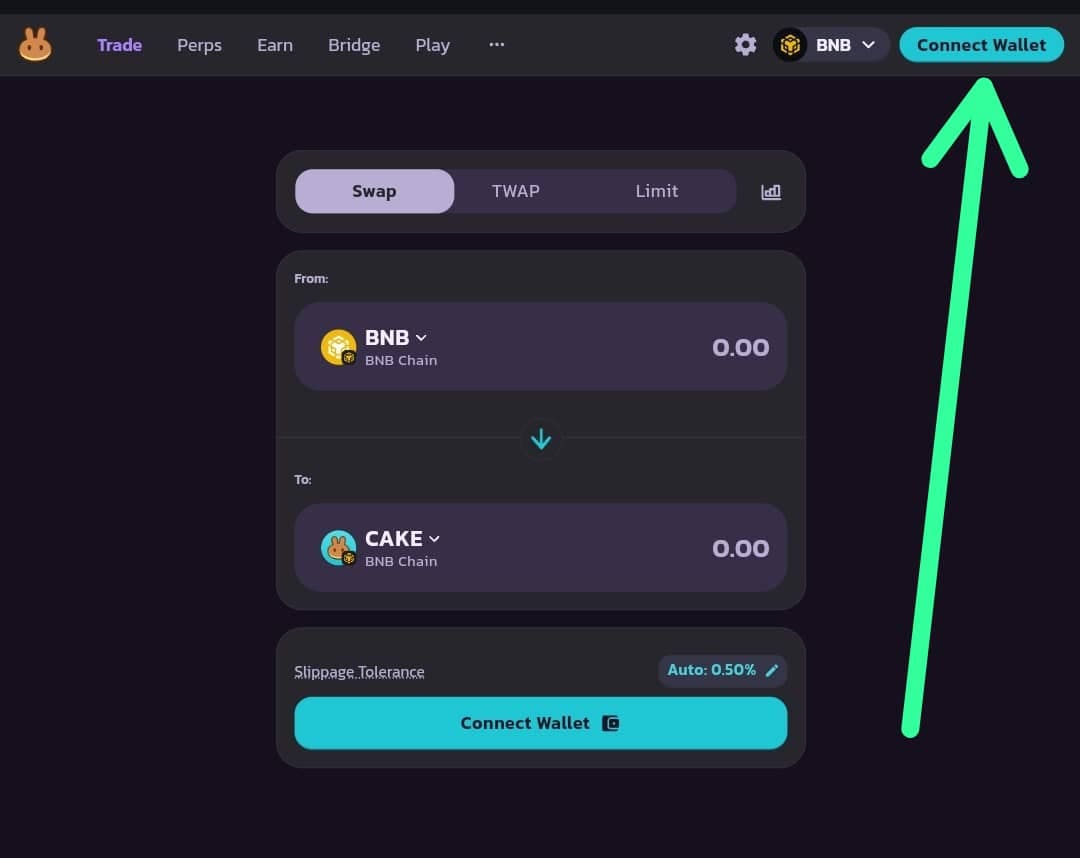
Open pancakeswap.finance, connect your wallet and select BNB Chain.
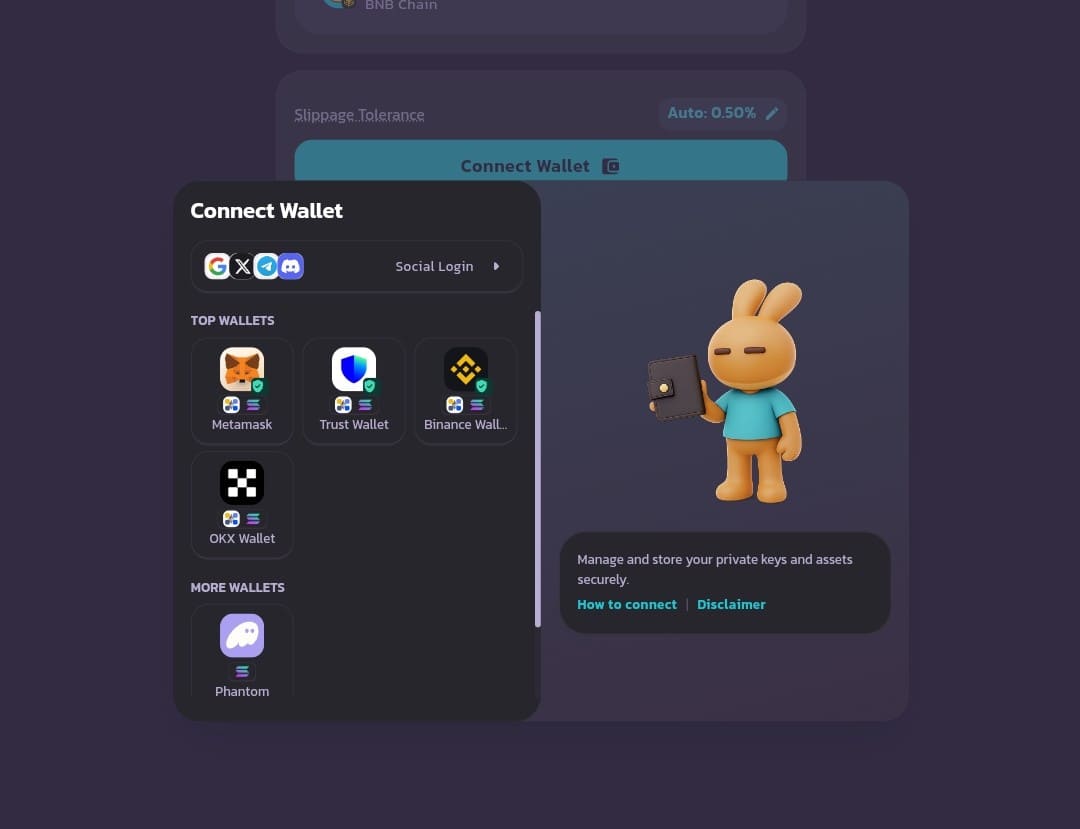
Go to pancakeswap.finance and click Connect Wallet at the top right. Choose your wallet and make sure BNB Chain is selected. On a phone, open PancakeSwap in your wallet app's built-in browser.
Step 2: Find the token and copy its contract address
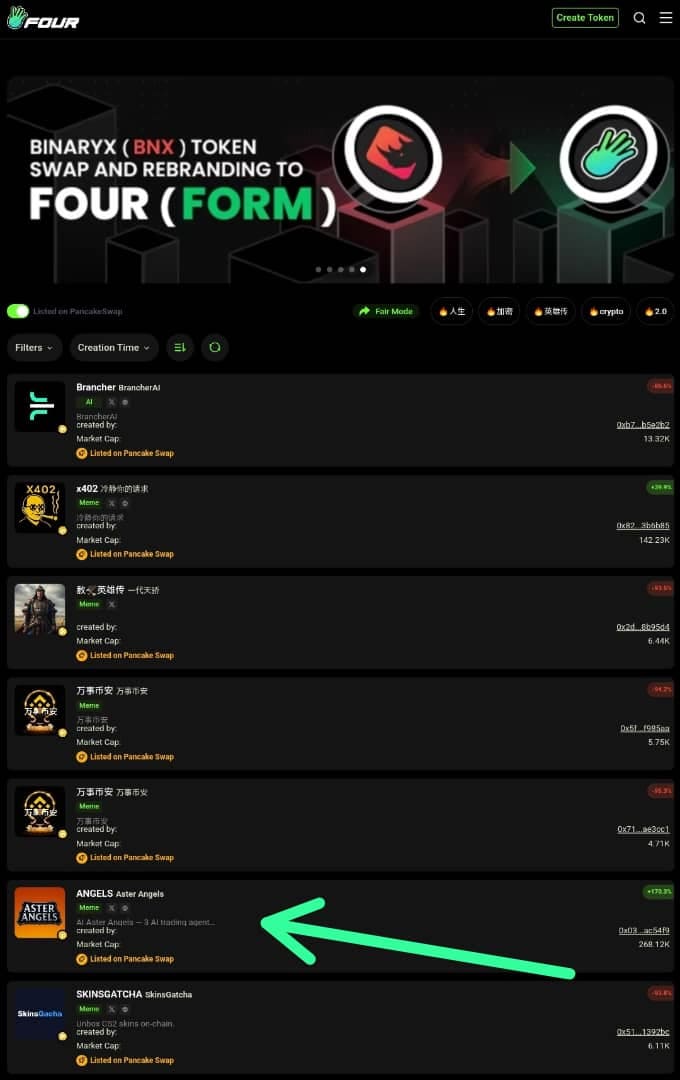
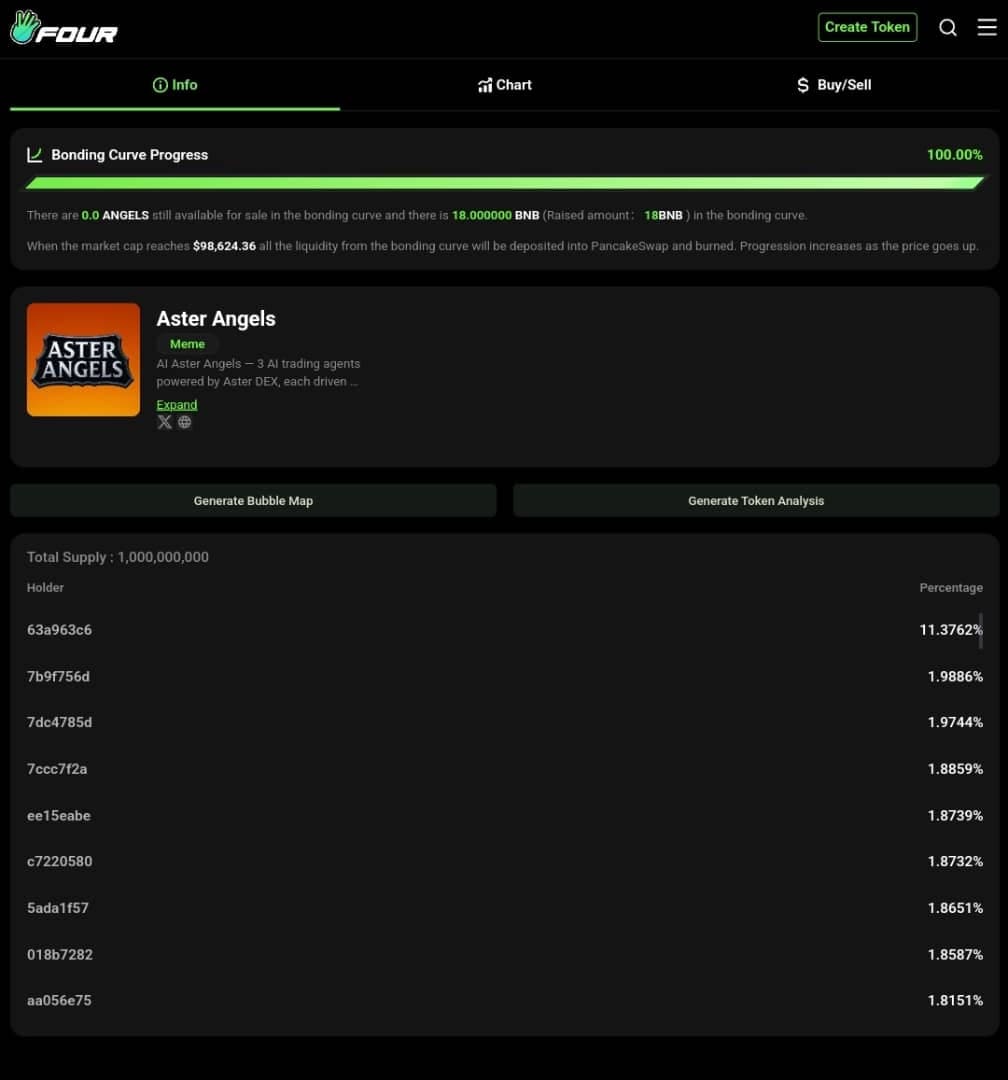
On Four.meme, open the token page, confirm it has graduated and copy its contract address.
Open the token's page on Four.meme and confirm that it has graduated and is listed on PancakeSwap. Copy the contract address from that page. Always use the contract address, not the name, because copycat tokens with the same name are common.
Step 3: Get both tokens
Buy the token and make sure you hold an equal value of the paired token.
On PancakeSwap, open Trade, paste the contract address and buy the token. Start with a small amount while you learn the process.
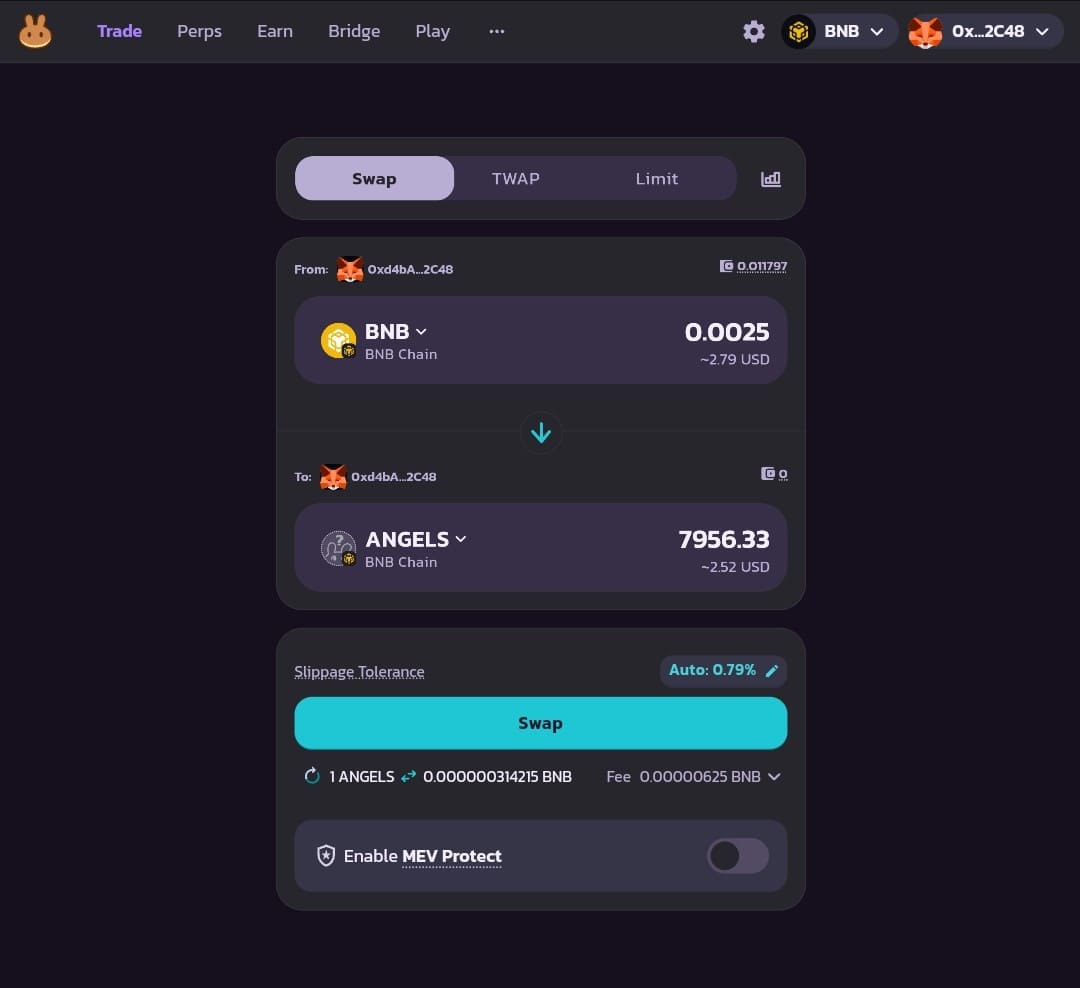
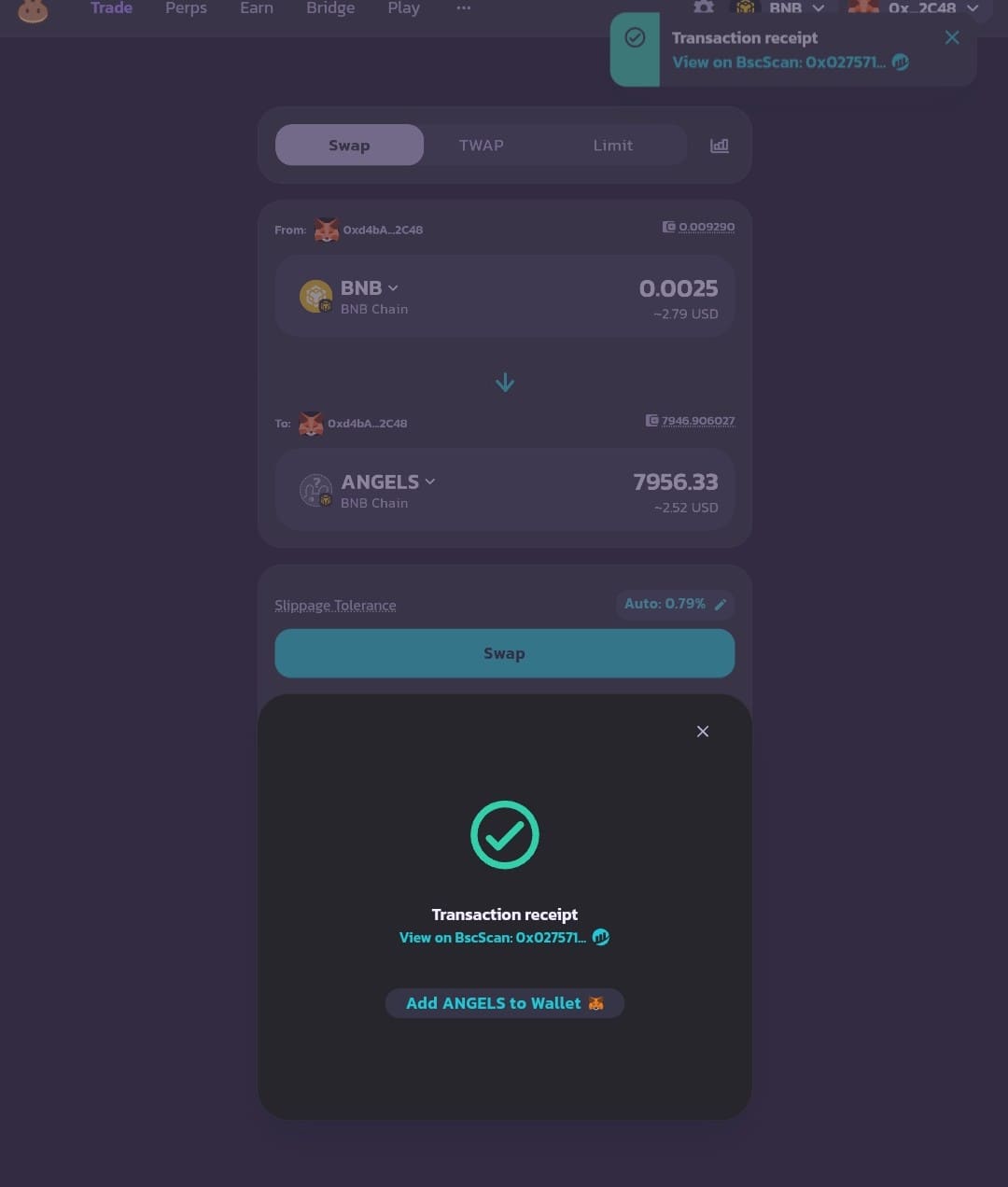
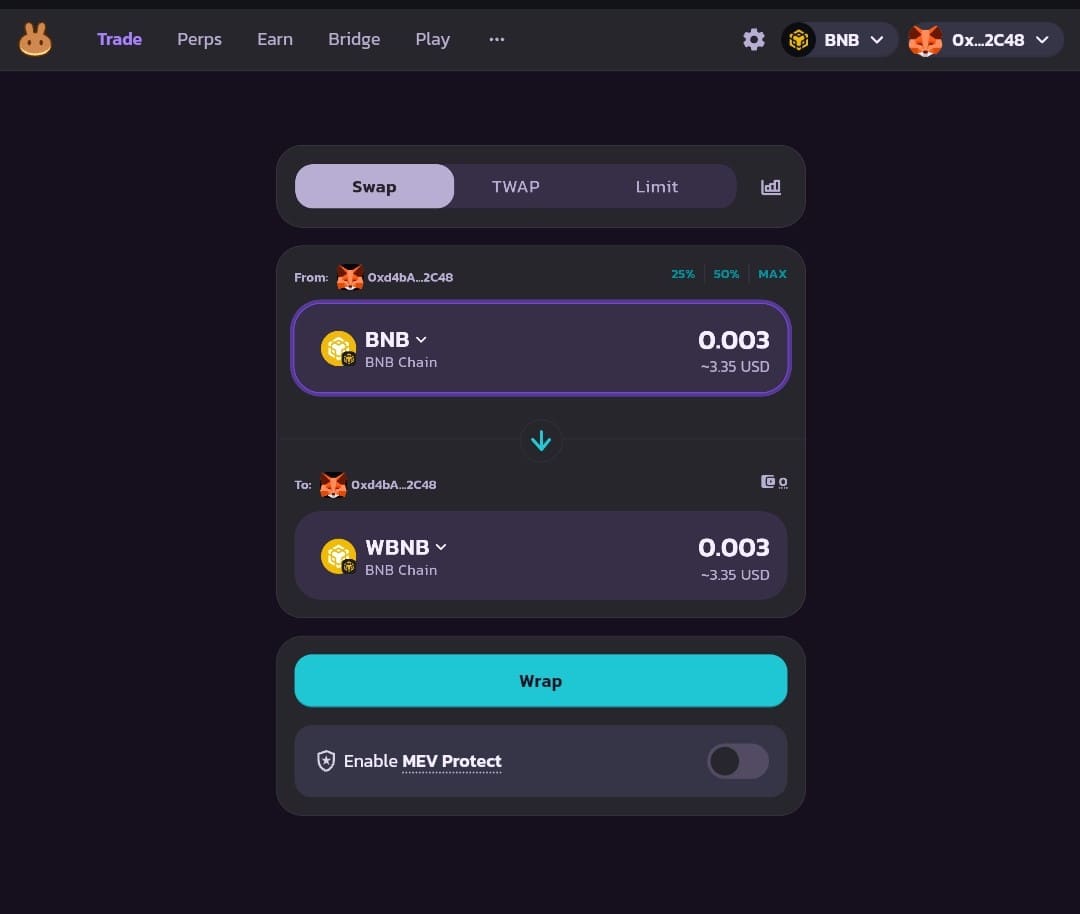
You also need the same value of the paired token. For a BNB pair, the add-liquidity screen accepts BNB directly, so you do not have to wrap it into WBNB first. The example in the screenshot swaps for WBNB, which also works.
Step 4: Open Liquidity and click Add Liquidity
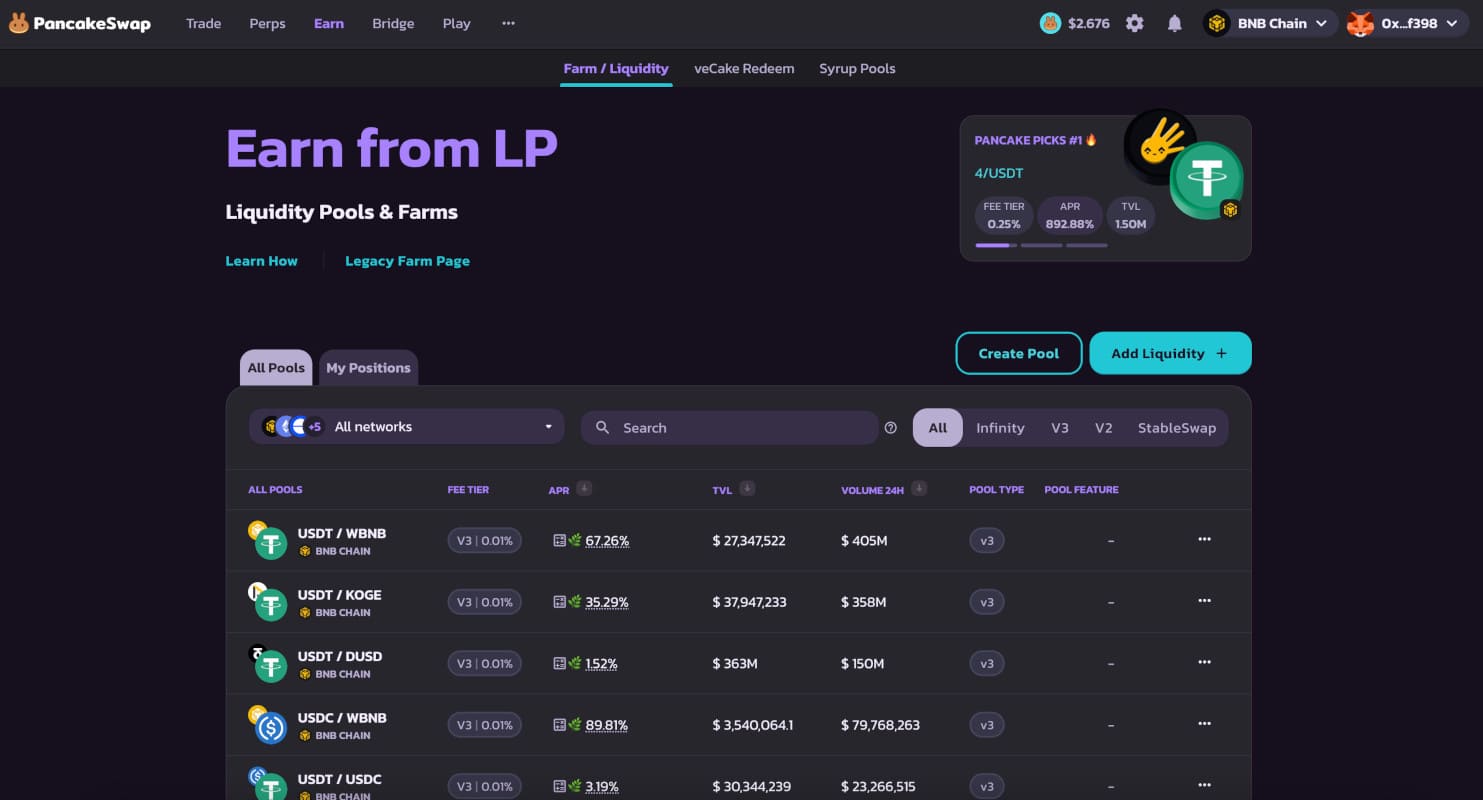
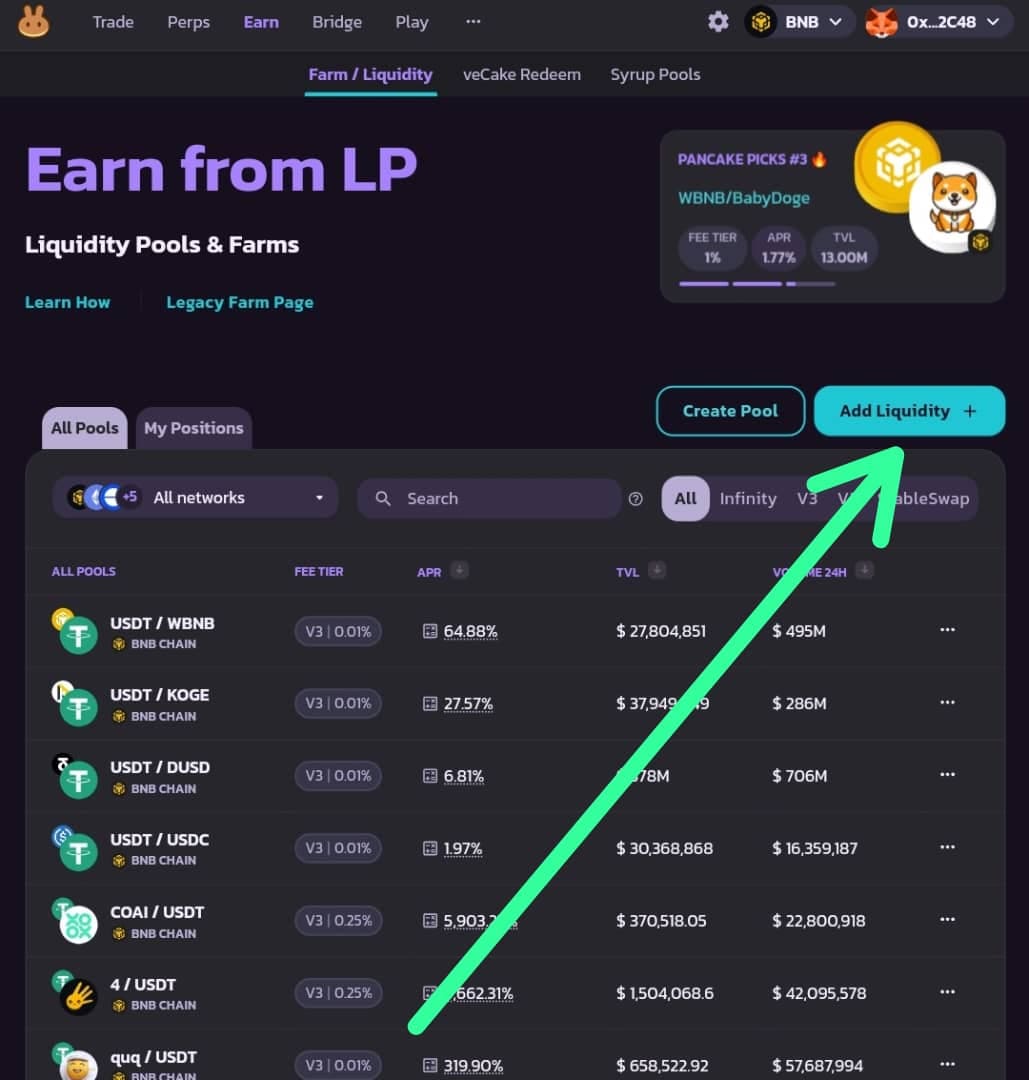
In the top menu choose Pools, then Liquidity / Farms, then Add Liquidity.
In the top menu choose Pools, then Liquidity / Farms. Click Add Liquidity.

Step 5: Choose V2 and the token pair
Select the V2 tab, pick the two tokens and click Next.
The first choice is where to provide liquidity: Infinity, V3, V2 or StableSwap. For a Four.meme token choose V2, because that is the pool the token graduated to and where its trading happens. Then choose the pair by pasting the token's contract address and selecting the paired token, and click Next.
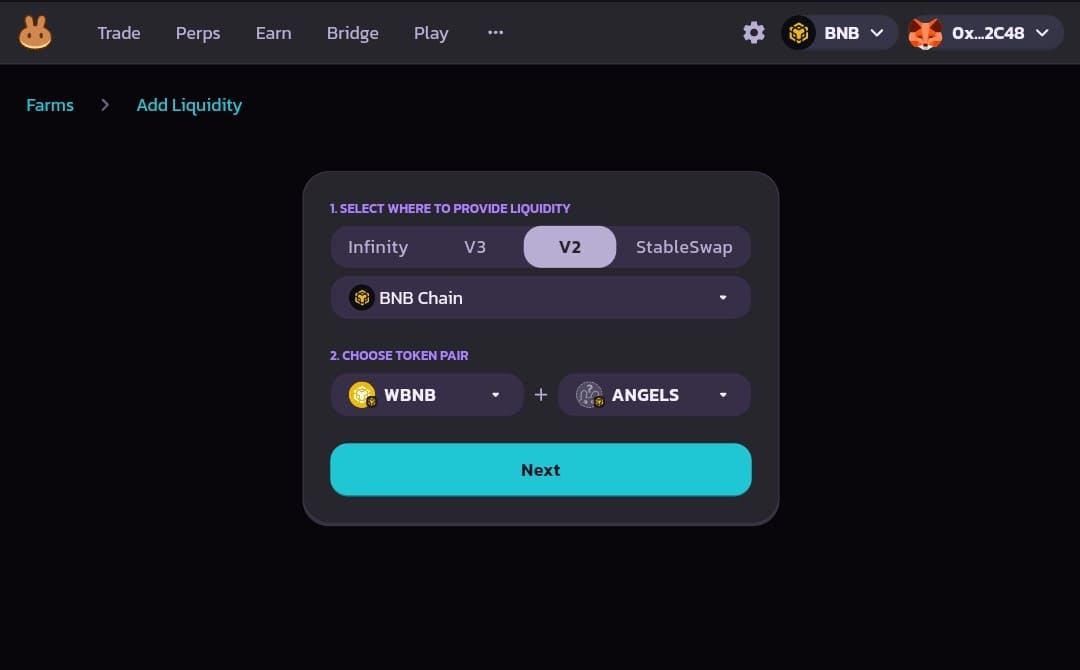
The pool page should show the v2 and 0.25% badges. If it does not, go back and check the tab.
Step 6: Enter the amounts, enable the token and add
Enter one amount, press Enable for the token, then Add, and confirm in your wallet.
Under Deposit Amount, enter how much of one token you want to add. PancakeSwap fills in the other side at the pool's current price, so $100 of the token needs $100 of the paired token.
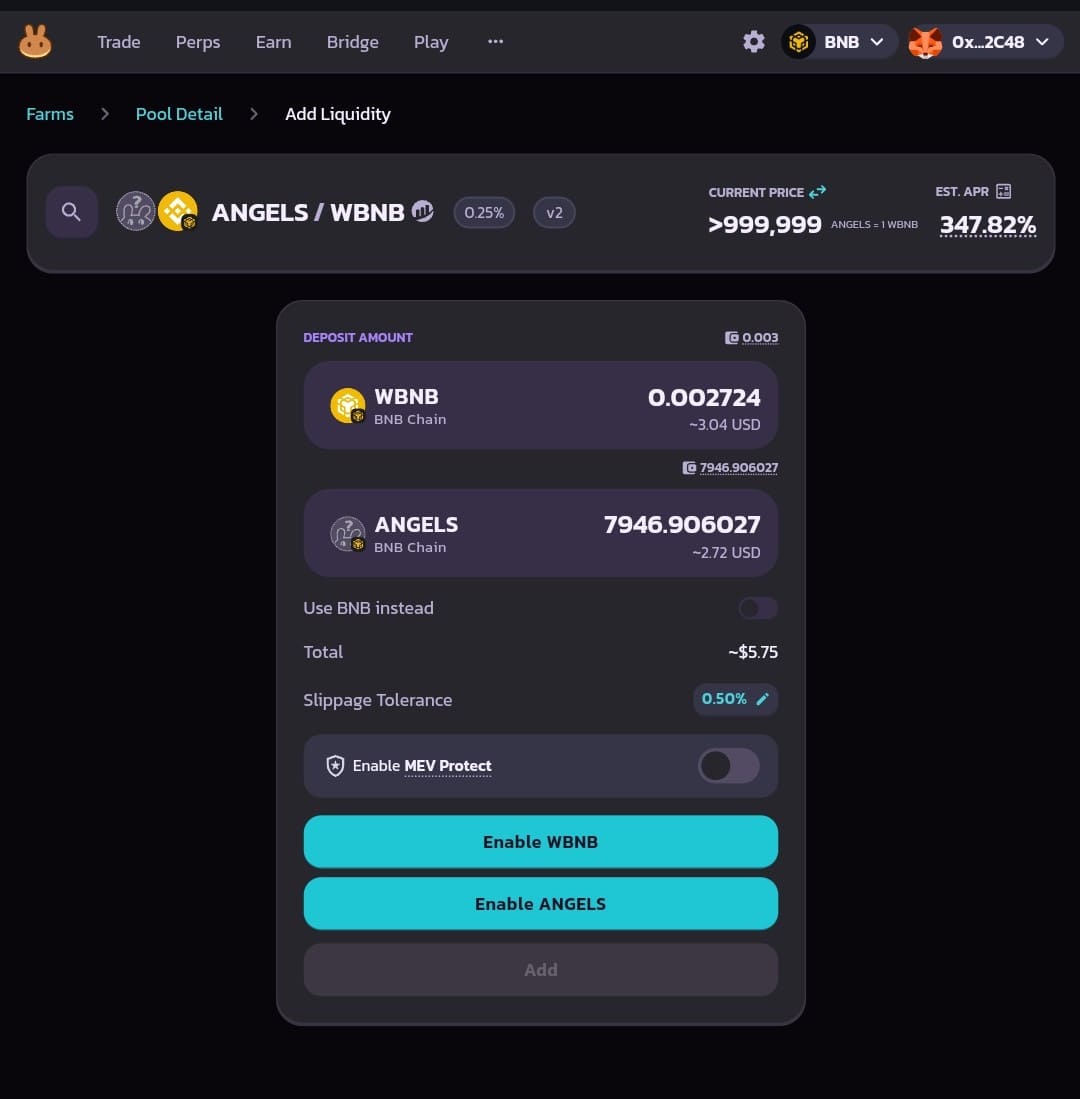
The first time you deposit a token, press Enable and approve it in your wallet. This is a one-off approval that lets PancakeSwap move that token. Then press Add, check the summary and confirm the transaction.
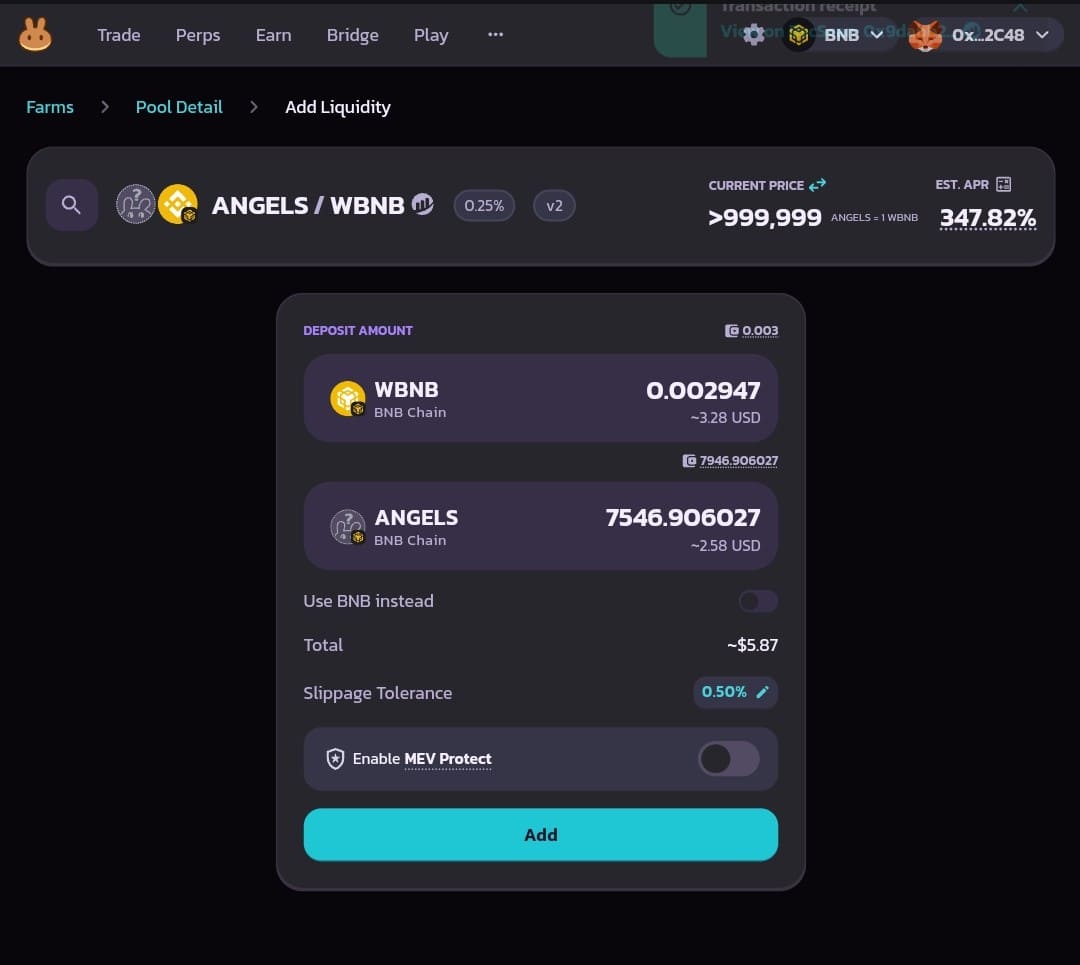
You receive LP tokens that represent your share of the pool. Whoever holds the LP tokens controls the position, so do not send them to anyone. You may be offered a button to show the LP token in your wallet; that is only a display convenience.
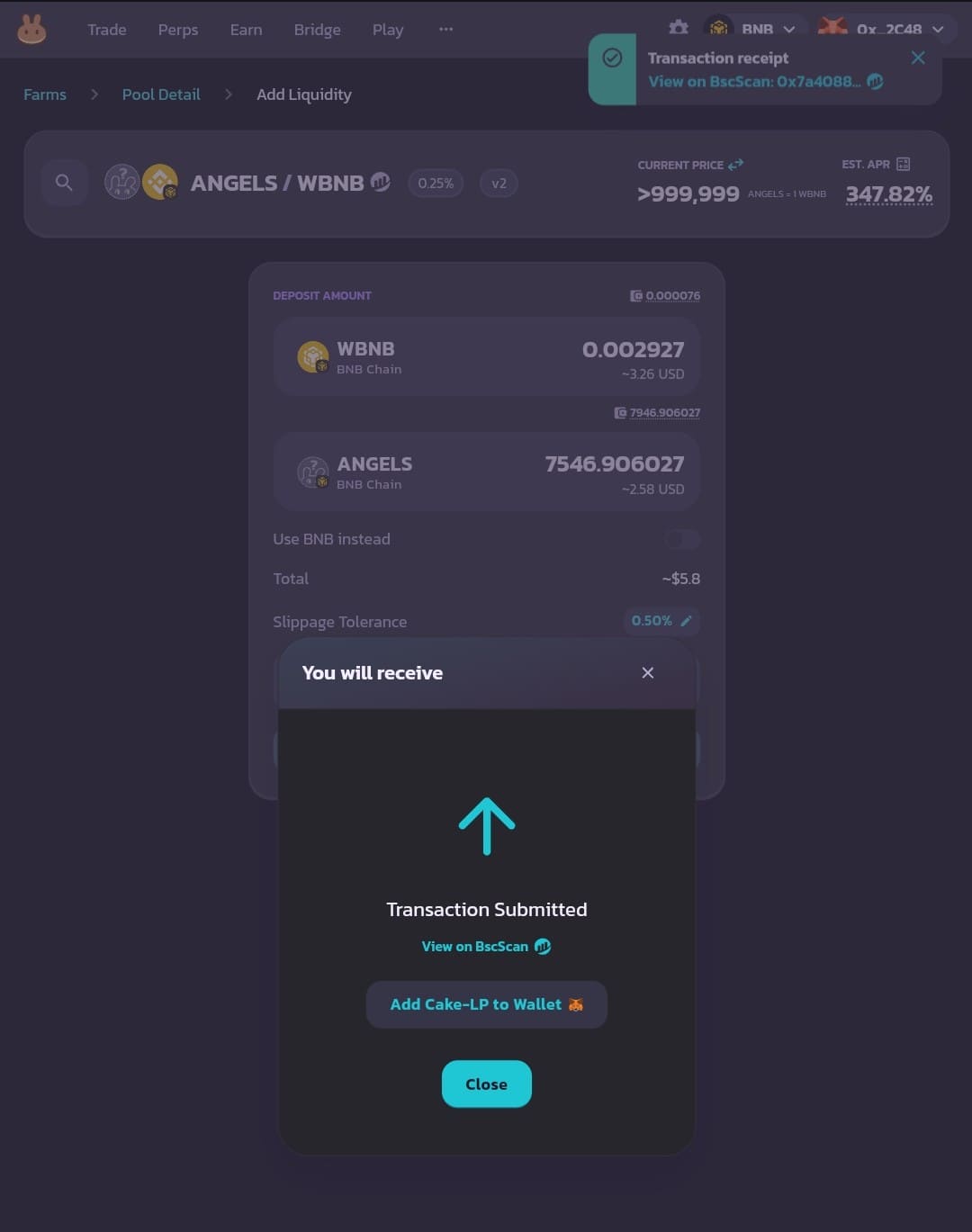
Step 7: Check that the liquidity was added
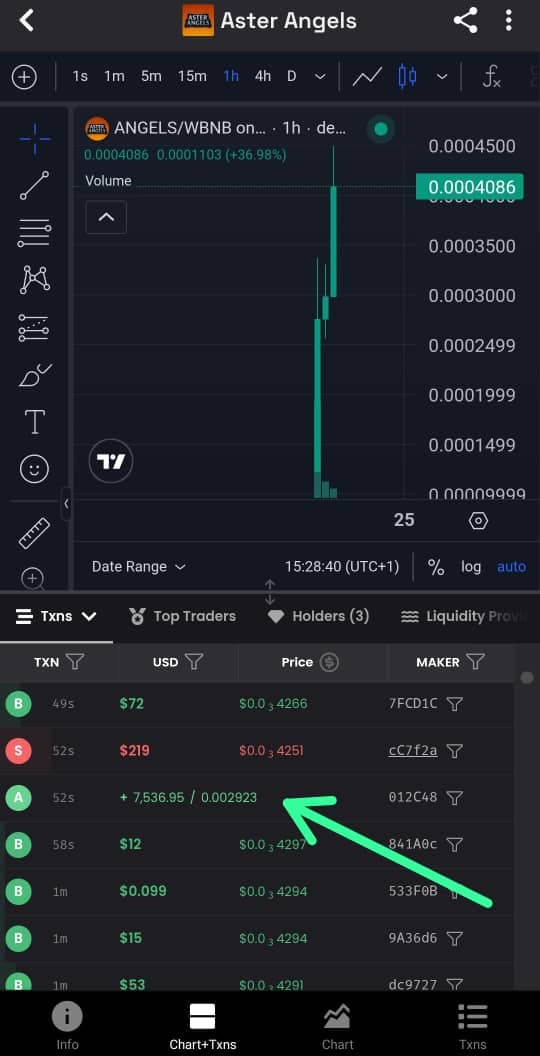
Find your position under My Positions, or look up the transaction on a chart site.
Your position now appears under My Positions on the liquidity page. You can also paste the token's contract address into a chart site such as DexScreener and find your deposit among the pool's transactions.
How to Remove Liquidity on PancakeSwap
You can remove a V2 position at any time, in full or in part.
Step 8: Open your position
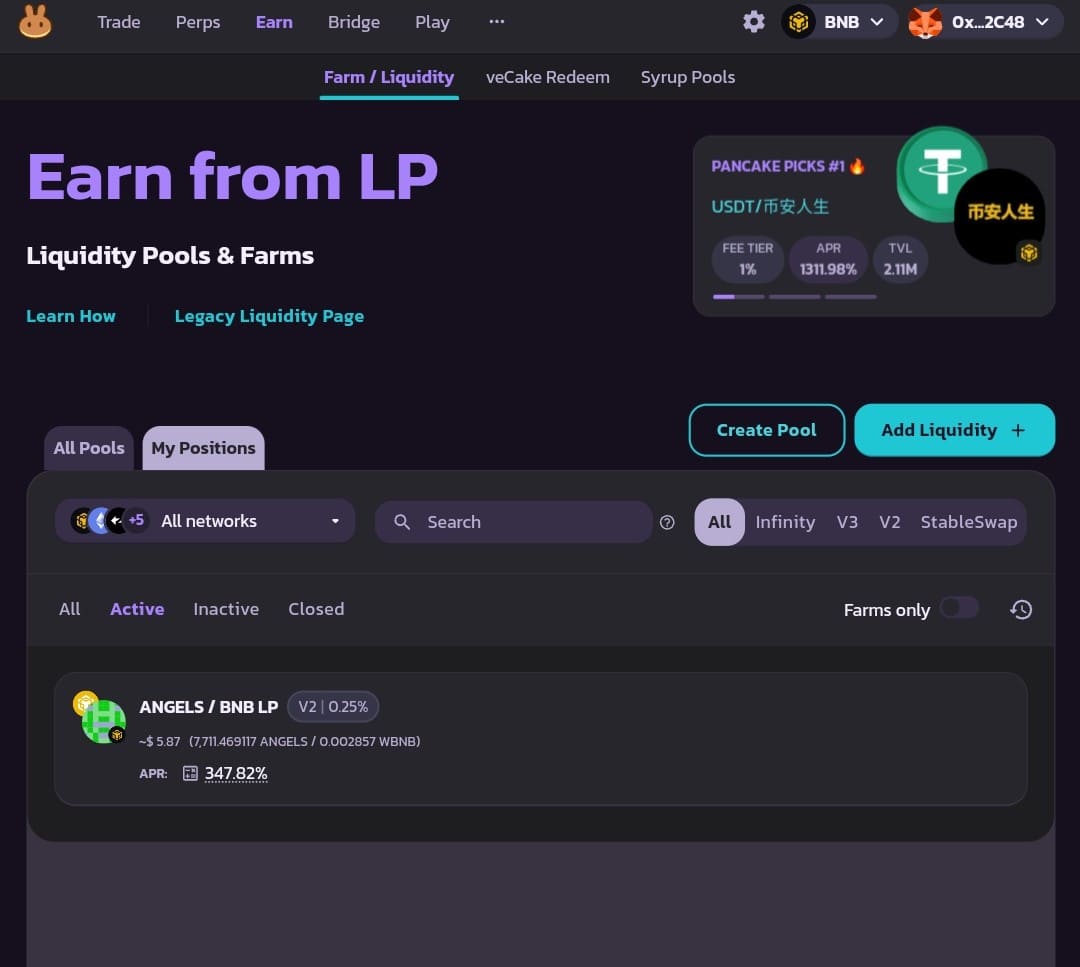
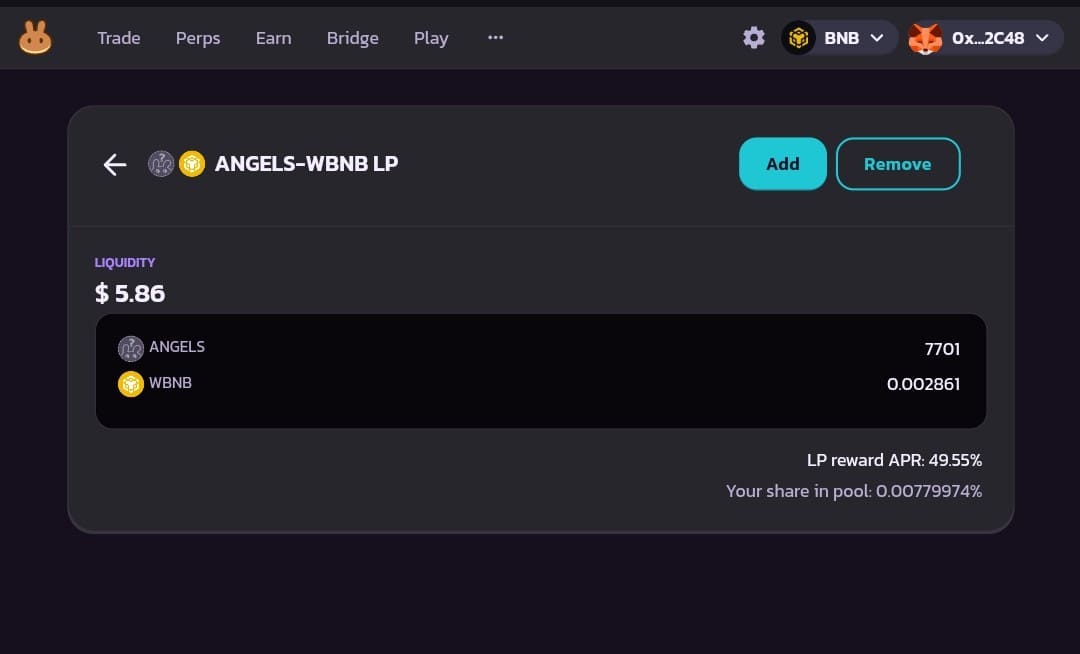
Go to Pools, then Liquidity / Farms, open My Positions and click your V2 position.
Go to Pools, then Liquidity / Farms, and open My Positions (the Manage positions button). Filter by V2 if you have several, and click the position.
Step 9: Click Remove and choose the amount
Click Remove and set the percentage with the buttons or slider.
Click Remove. Use the percentage buttons or the slider to choose how much to withdraw; MAX removes the whole position. The screen shows how much of each token you will receive.
Step 10: Enable, remove and confirm
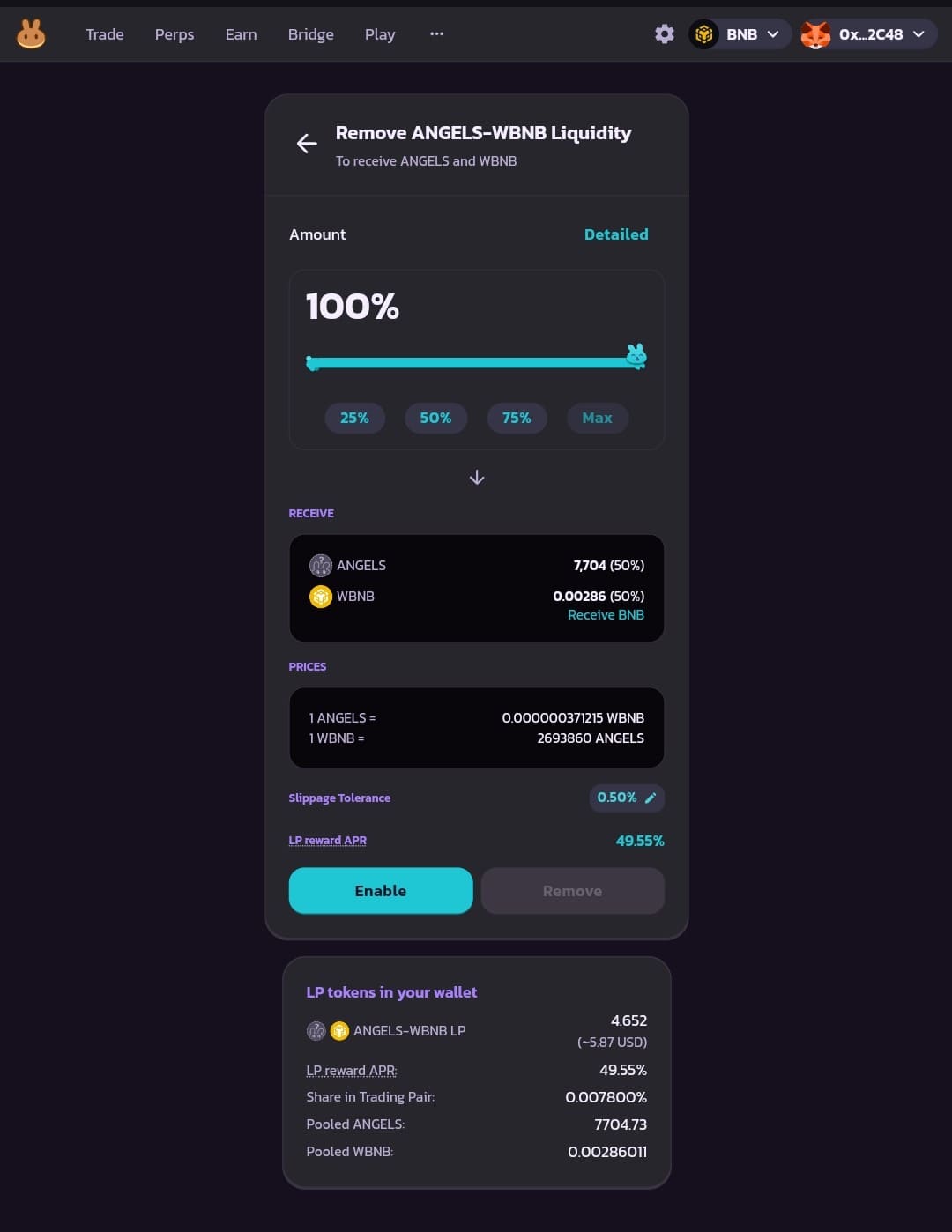
Press Enable, then Remove, check the summary and confirm in your wallet.
Press Enable and sign the request in your wallet. This approves PancakeSwap to take back your LP tokens. Then press Remove, review the amounts, and press Confirm.
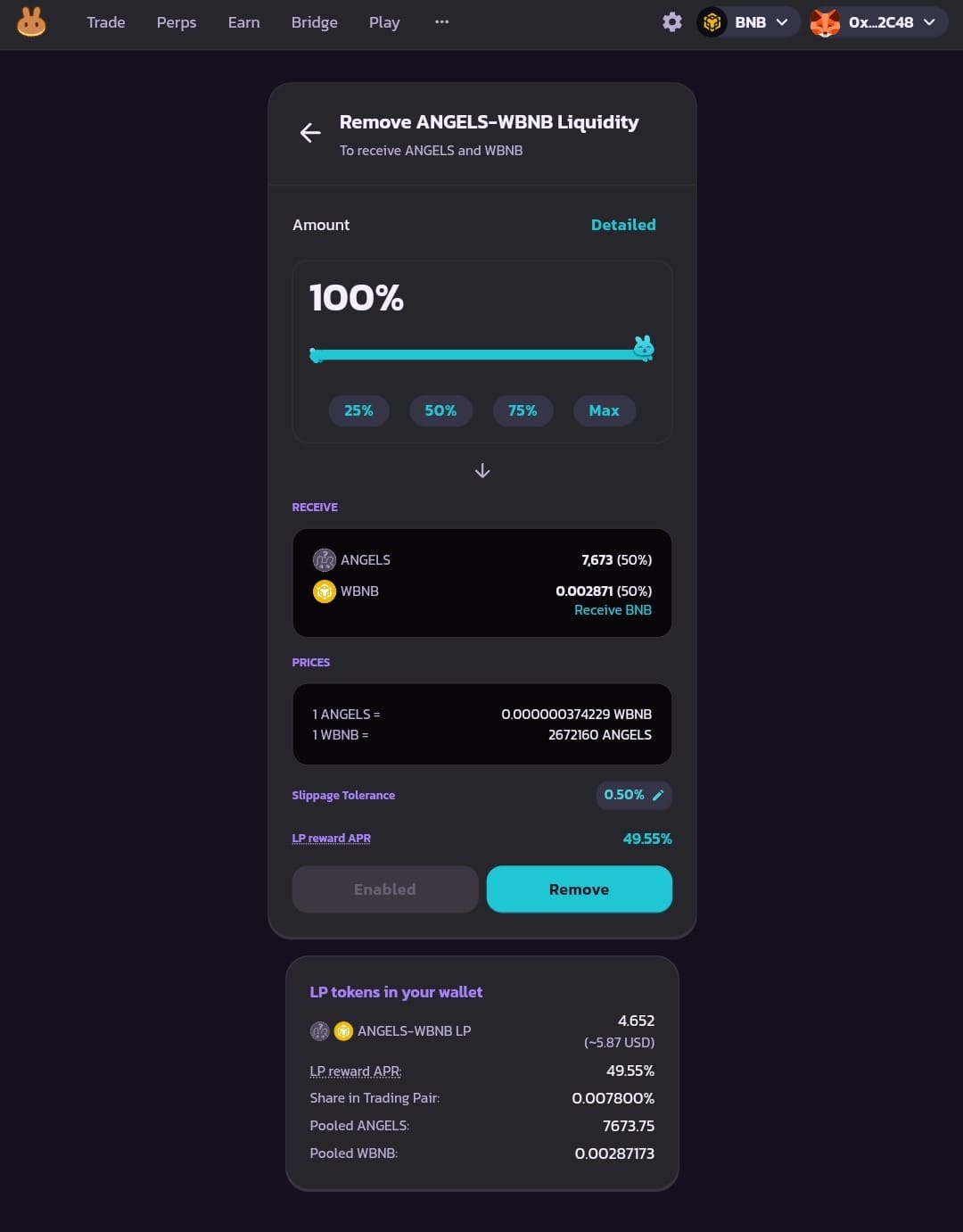
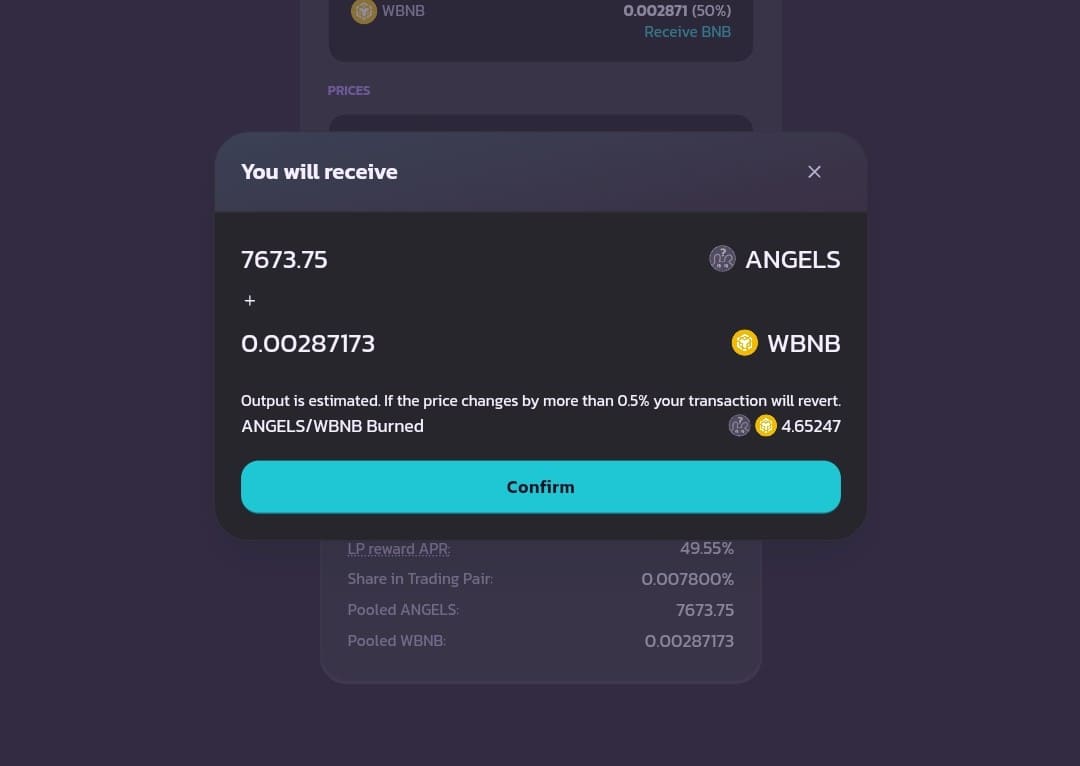
Approve the transaction in your wallet. When it confirms, both tokens are back in your wallet and the LP tokens are gone.
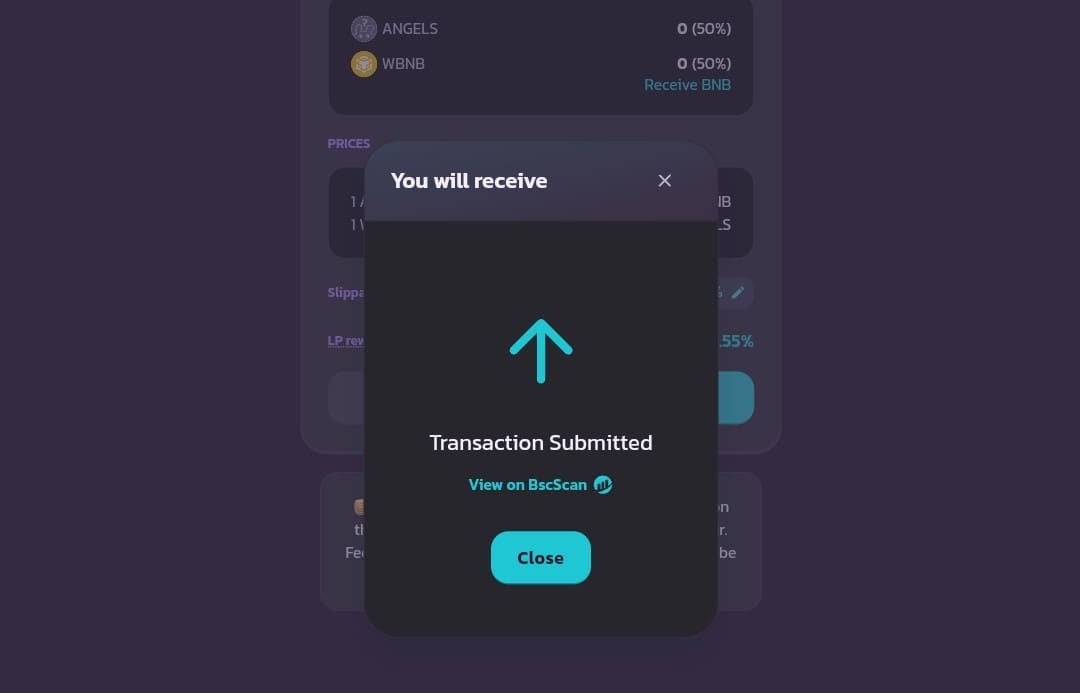
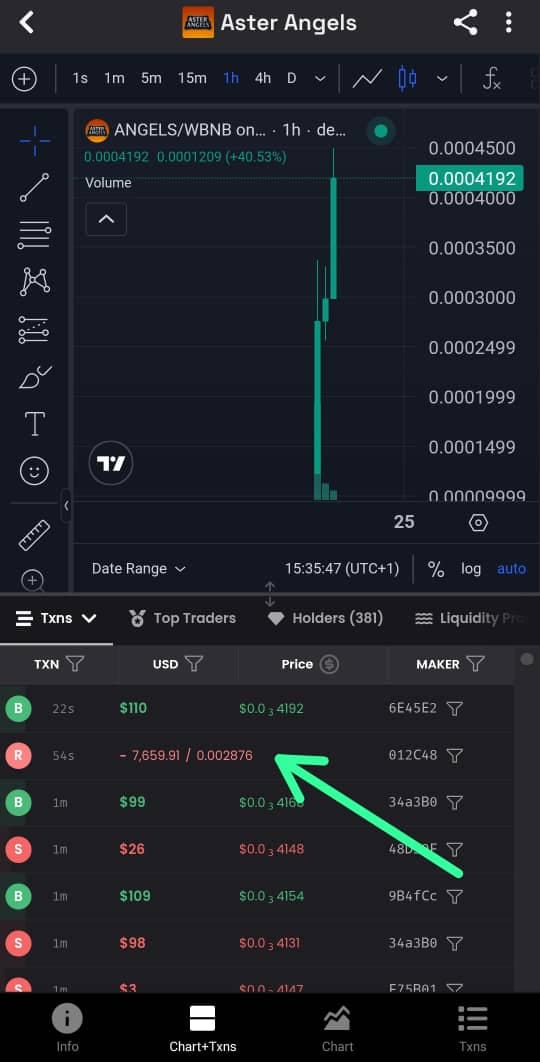
The amounts you get back will not match what you put in. If the token fell, you receive more of the token and less of the paired asset; if it rose, the reverse.
V3, Infinity and Stablecoin Pools
- V3. You pick a fee tier and a price range. The position is an NFT, and it only earns fees while the price is inside your range. To remove, open the position, click Remove, choose the amount and confirm; there is no Enable step. Fees are collected from the position page.
- Infinity. PancakeSwap Infinity is the version that was announced as v4. It has two pool types: CLAMM, which works like V3 with an NFT position, and LBAMM, which splits liquidity into price bins. Pools can have hooks, shown on the pool page under Pool Features.
- Stablecoin pools. PancakeSwap has two StableSwap models. Classic StableSwap pools are set up by the PancakeSwap team. Infinity StableSwap, available on BNB Chain, lets anyone create a pool; you deposit both tokens with no price range, single-token deposits are supported, and the position is a standard LP token. To add to an existing pool, click Add Liquidity, choose the StableSwap tab, pick the pair and click Next.
For why pool size matters to the price you get, see what slippage is and market cap vs liquidity.
Frequently Asked Questions
How do I remove liquidity from PancakeSwap?
Open Pools, then Liquidity / Farms, and go to My Positions. Click the position, click Remove, choose the percentage, press Enable (V2 only), then Remove, and confirm in your wallet. Both tokens are returned to your wallet.
Is there a fee to remove liquidity on PancakeSwap?
PancakeSwap's documentation lists no withdrawal fee. You pay the BNB Chain gas fee for the transaction.
Why can't I add liquidity for my Four.meme token?
The most common reason is that the token is still on its bonding curve and has no PancakeSwap pool yet. Check on Four.meme that it has graduated.
Which PancakeSwap version should I use for a Four.meme token?
V2. Four.meme Classic Mode tokens graduate to a PancakeSwap V2 pool, and that is where the trading volume is.
Can the creator of a Four.meme token remove the liquidity?
Not the launch liquidity. Four.meme burns the LP tokens for it at graduation. A creator who adds extra liquidity later can remove that extra amount, like any other provider. See what a rug pull is.
How do I add liquidity to PancakeSwap v4 stablecoin pools?
PancakeSwap v4 is now called Infinity. Click Add Liquidity, choose the StableSwap tab, select the pair and the pool, and deposit. Infinity StableSwap pools are on BNB Chain and accept single-token deposits.
Do I earn money by adding liquidity?
You earn a share of the trading fees: on V2, 0.17% of each trade is added to the pool. Whether that beats simply holding depends on volume and on how far the price moves. With a falling memecoin, the loss usually outweighs the fees.
Related Guides
This guide is for education and is not financial advice. Providing liquidity for a memecoin can lose you most or all of what you deposit.